Can I mute the Blind but Dangerous whistle as a hider?
No public recap says you can skip it. Plan a relocate on whistle soon instead of hoping for a mute toggle.

This Blind but Dangerous whistle page is the forced-noise timer on Place 112270456220062 (listing blind but dangerous, universe 10771991516, group nεхus). A blind but dangerous whistle ping is the only scheduled reveal hiders cannot skip: you make sound on a clock, and the Blind Man turns toward it. Exact seconds are Unverified until an in-game capture. Place check October 31, 2026.
| Fact | Detail |
|---|---|
| Place | 112270456220062 |
| Listing | blind but dangerous |
| Developer | nεхus |
| Mechanic | Timed hider whistle — core asymmetric cue |
| Hider job | Relocate before the ping, then freeze |
| Seeker job | Face the ping, sweep that direction only |
| Timer seconds | TBA / Unverified |
| Whistle soon | Warning window in session recap — exact length Unverified |
| Mute toggle | No public recap says you can skip it |
| Other noise | Emotes, sprint, push — can blow a hide |
| HUD | Hiders labeled (session recap); Blind Man vision Unverified |
| Server | Up to 8 players per server |
| Last verified | October 31, 2026 |
Matched by build plan, shared topics, and guide progression — not random related links.
The blind but dangerous whistle is why this hide-and-seek is asymmetric. Hiders must make noise on a schedule. The Blind Man is blindfolded and armed, so that scheduled sound is the hunt’s main compass. Listing tagline: one of you is blindfolded and armed; the rest stay quiet — until the timer says otherwise.
| Role | What the whistle does |
|---|---|
| Hider | Forced audio ping; you cannot mute it in any public recap |
| Blind Man | Direction cue to sweep that ping, then reset |
| Lobby | Shared clock — both roles plan around the same beat |
A huge map smears audio. The blind but dangerous whistle tells the hunter which wedge to walk, not which pixel to pre-fire. If you hide, leave that wedge. If you hunt, walk only that wedge. Full role loops sit on the hider guide and the seeker guide.
No listing number and no recap we trust publishes an exact countdown. Do not write “every 30 seconds” into your muscle memory. Watch the in-round warning instead. Codes and Coins do not change the timer — paste strings on codes between rounds, not mid-ping.
Session recap calls “whistle soon” before the ping. Treat that line as the relocate alarm. The round is won in that window: hiders leave the old pocket; seekers stop talking over the upcoming sound.
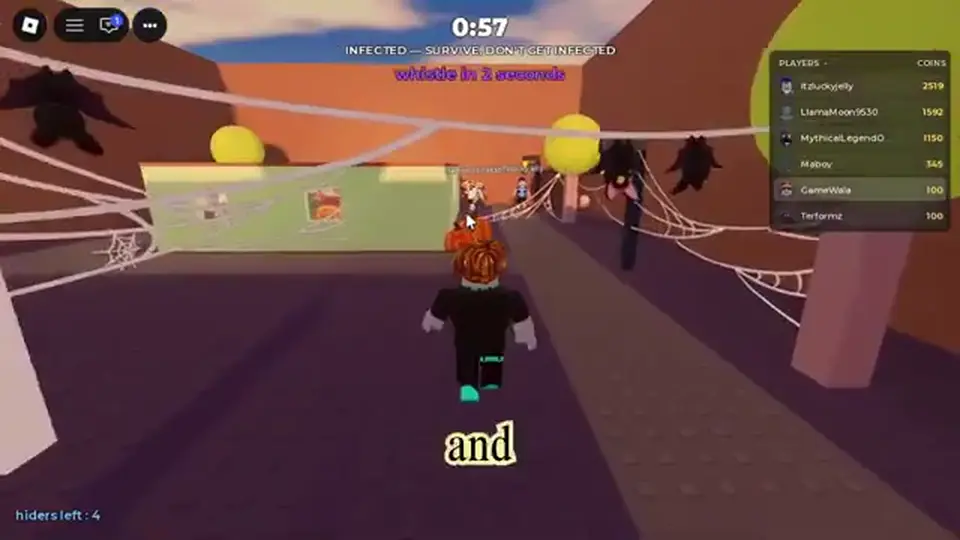
If you wait until the sound actually fires, you ping on top of your new footsteps. Start the walk on “soon,” arrive, then stop so the ping plays from a still body. Exact length of the soon window is Unverified.
Your shotgun and your sprint will mask the ping. Hold Control sneak (see the seeker guide) and face likely cover. Do not pre-fire furniture because last cycle’s ping was there.
Cover first, then a planned exit. The ping makes your current pocket public. One short relocate beats a long sprint that paints a trail. After the sound, freeze unless the Blind Man is already in melee.

A hunter who missed you once will check the same wedge on the next ping. Rotate rooms. The map is huge in session recap — use that size. Do not run the whole map either; long sprints are extra audio.
Hiders labeled on HUD (session recap) means teammates can see who is who. That does not mute the whistle. Do not cluster on a labeled friend — two bodies in one ping is a gift to Blind Man. Push and grab exist in recaps; using a teammate as a shield is Unverified as a good idea and can get both of you shot.
Face the sound, sneak the last stretch, shoot only if the pocket still makes noise. The ping is a direction cue for the seeker guide, not permission to spray the shotgun. Ammo stays TBA / Unverified.
| Cue | Seeker action |
|---|---|
| Whistle soon | Stop your noise; face likely cover |
| Whistle ping | Turn, walk that wedge only |
| Footsteps after ping | Update facing; hiders relocated late |
| Silence in the wedge | Reset. Do not clear the huge map |
| Push during the ping | Rebuild facing; do not panic-fire |
If two sounds disagree, trust the newest ping. Old furniture is bait. Session recaps also show hiders pushing during hunts — a shove is a melee ping, not a reason to abandon the last whistle forever.
Hider labels on HUD are Unverified as a sighted overlay for Blind Man. Follow audio. If a name sits in a silent room, it is not a confirmed body.
The timer is not the only audio. Emotes, sprints, jumps, and pushes all talk. A perfect relocate still dies if you laugh-emote in the new pocket.
Shop emotes cost coins. They also make noise in recaps. Buy them after you can survive a cycle, not to celebrate on the last ping. Halloween cosmetics on halloween follow the same rule: look later, hide now.
Session recaps start with “how do you push” and later blame a shove for a kill. Pushing the seeker can save you or paint you. There is no verified damage table. If you push, relocate immediately — you just rang a bell next to the shotgun.
The common fails are waiting through “soon,” sprinting the ping, spraying as seeker, and clustering on HUD labels.
| Mistake | Fix |
|---|---|
| Stay in the same pocket | Move on whistle soon, freeze on ping |
| Invent a second count | Timer seconds Unverified — watch the warning |
| Emote after relocate | Stay quiet until the hunter leaves |
| Seeker sprays the last ping | Newest ping only; ammo TBA |
| Seeker patrols the whole map | Huge layout — listen, then walk one wedge |
| Mute fantasy | No recap gives a skip toggle |
This is Place 112270456220062, not Blind but Deadly and not a generic Roblox hide. If an overlay shows a countdown this wiki does not list, treat it as Unverified until your HUD matches.
Flip to the hider guide and the seeker guide, then spend leftover Coins on coins after you survive a cycle.
No public recap says you can skip it. Plan a relocate on whistle soon instead of hoping for a mute toggle.
Unverified / TBA. Watch the in-round warning. Do not copy a number from another experience.
Session recap warning before the ping. Hiders relocate; seekers go quiet and face cover. Window length Unverified.
No. Treat it as a direction on a huge map. Newest ping wins.
No. Recaps show hiders labeled on HUD. Blind Man vision for those labels is Unverified. Audio still rules the hunt.
Recaps warn they can blow a hide. Save them until the seeker has left the last ping.
No. This page is Roblox Blind but Dangerous on Place 112270456220062.
Matched by build plan, shared topics, and guide progression — not random related links.